
Hatch
A native Windows task manager built around instant capture: an always-on-top mascot and global hotkey lead into calm planning, focused work, and optional encrypted sync.
Hatch brings task capture and planning into a local-first Windows app.
The problem
Capturing a task should not interrupt the work already in progress. Hatch puts quick entry within reach through a desktop mascot and a global hotkey, then gives those tasks a place in a daily plan.
My contribution and decisions
This is a solo project, from the native Windows interface to task capture and planning. I chose WinUI 3 so the app could use Windows features such as Mica, Acrylic, the system accent color, and a My Day widget.
Tasks stay local and work without an account. Sync is optional, so capturing and organizing work does not depend on signing in. The Android companion shares a sync contract while keeping its own native interface.
The outcome
Hatch is available as a Windows beta through the Microsoft Store and GitHub Releases. It brings quick capture, daily planning, and focused work into one app, with optional encrypted sync to Hatch Mobile.
Using Hatch on Windows
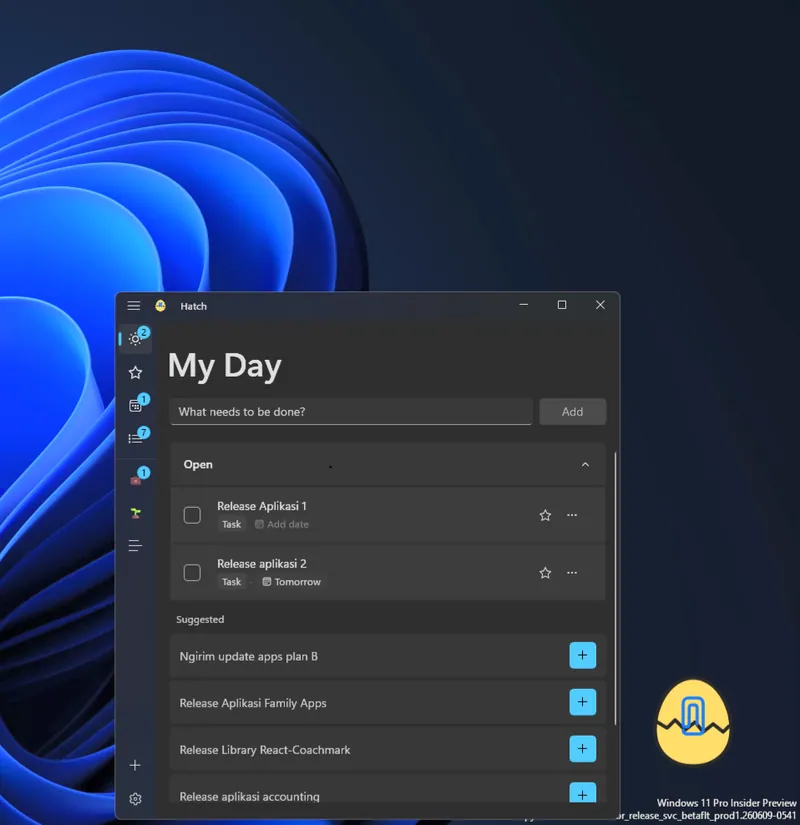
- Quick capture: Add a task from the always-on-top mascot or use the global keyboard shortcut.
- Daily planning: My Day, Important, Planned, and custom lists organize tasks with tags, due dates, recurrence, and ordered steps.
- Returning to unfinished work: Tasks can reappear as suggestions the next day. Search covers titles, notes, tags, and completed tasks.
- Focus Mode: Keep one task and its steps in view while working.
- A desktop overview: Summary offers entry points into task state, and the Windows 11 My Day widget shows today’s list.
- Contextual tips: Suggestions respond to task state and can be silenced or turned off.
- Offline use and optional sync: Tasks stay local and work without an account. End-to-end encrypted sync with Hatch Mobile is optional.
Native Windows stack
- Language and runtime: C# on .NET 10.
- Native interface: WinUI 3 and XAML, built with the Windows App SDK.
- Windows integration: Mica and Acrylic backdrops, plus the system accent color.
- Separate native clients: Windows and Android keep their own platform interfaces while sharing an encrypted sync contract.
Current status
The current desktop release is v0.25.7, dated October 1, 2026. Hatch is in beta and available through the Microsoft Store and GitHub Releases; Store updates may lag behind GitHub releases. Source is at github.com/fbtwitter/hatch.